
Why the Google Pixel 9 Camera Outperforms Every Competitor
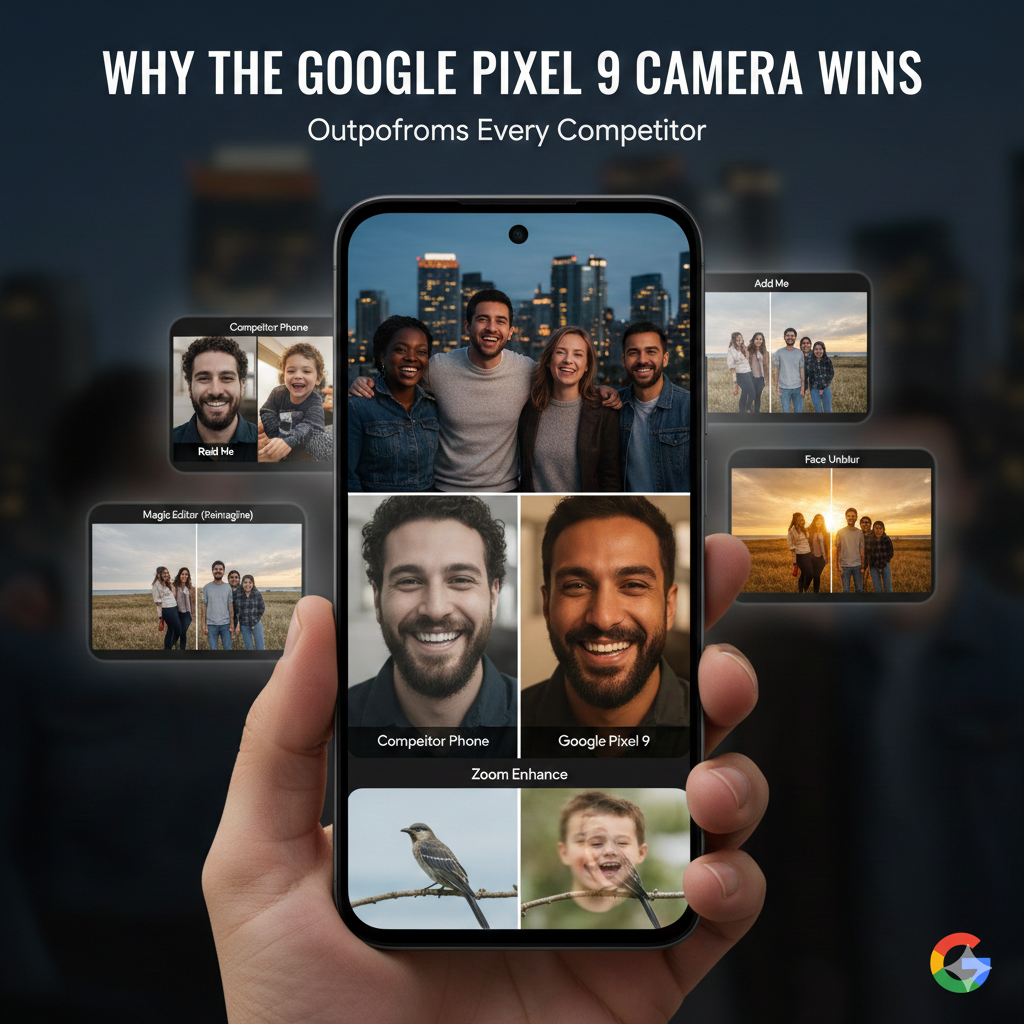
Most people assume that a “better camera” simply means more megapixels. You’ve likely felt the frustration of snapping a photo on a 200MP sensor only for the face to look like a wax figure or the shadows to turn into a grainy mess. The truth is, hardware is only half the battle in 2026.
The Google Pixel 9 doesn’t just take pictures; it understands them. While competitors like the iPhone 16 Pro and Galaxy S25 Ultra focus on raw glass and brute-force sensor size, Google has perfected the “brain” behind the lens. In this guide, we’ll break down exactly why the Google Pixel 9 camera consistently wins in real-world scenarios where other flagships stumble.
What You Will Learn
- Why the Google Pixel 9 camera processing creates more “human” photos than Samsung or Apple.
- The secret behind Add Me and why it’s a game-changer for solo travelers and families.
- How to avoid the most common beginner mistake that ruins 90% of smartphone photos.
- A breakdown of the AI-powered tools that actually matter for your daily shots.
1. Computational Photography: The “Brain” Advantage
The Google Pixel 9 camera is powered by the Tensor G4 chip, which is specifically designed for Google’s HDR+ pipeline. Unlike other phones that “beautify” images by smoothing out textures, the Pixel focuses on Real Tone. This technology ensures that skin tones look authentic, not filtered, across a vast spectrum of ethnicities.
The Problem with Brute-Force Hardware
Samsung often pushes 200MP sensors, but more pixels on a tiny phone sensor can lead to “shutter lag.” By the time the phone processes that massive file, your toddler has already stopped smiling. Google uses a 50MP main sensor paired with advanced machine learning to capture the moment instantly, with zero lag.
Why It Wins in Low Light
While others rely on long exposures that require a tripod, Night Sight on the Pixel 9 uses “semantic segmentation.” It identifies what is a sky, what is a building, and what is a face. It then applies different processing to each section, keeping the sky dark and the faces bright without making the whole image look like a cartoon.
2. AI Features That Solve Real Problems
We’ve all seen “gimmick” AI features, but the Google Pixel 9 camera introduces tools that solve actual photography pain points.
- Add Me: This is the “no one left behind” feature. You take a group photo, swap with someone, and the Pixel uses AR to stitch you perfectly into the frame. No tripod or stranger-favors required.
- Magic Editor (Reimagine): Ever had a perfect shot ruined by a grey, boring sky? You can now describe the sky you want—”golden hour sunset”—and the AI generates it while maintaining the correct lighting on your subject.
- Zoom Enhance: Digital zoom usually looks like a pixelated mess. The Pixel 9 uses generative AI to “fill in” the gaps when you crop in, making a 10x digital zoom look surprisingly close to optical quality.
3. The 4:3 Secret: The Most Common Mistake
The biggest mistake beginners make is switching their camera to 16:9 (Wide) mode. Most people think it looks “more cinematic,” but here is the technical reality: your sensor is a 4:3 rectangle.
When you select 16:9, the phone is just cropping off the top and bottom of your image. You are throwing away valuable data! Always shoot in 4:3. You can always crop it later, but you can never “uncrop” a photo to see the extra detail you missed.
4. Video Boost: Cloud-Powered Cinema
Video has traditionally been the iPhone’s territory, but the Pixel 9 closes the gap with Video Boost. When you enable this, your 4K footage is sent to Google’s data centers where it undergoes massive processing to upscale it to 8K resolution.
Pro Tip: Video Boost is a lifesaver for concerts. It stabilizes the shaky footage and uses AI to reduce the “blown out” look of bright stage lights, resulting in a professional-grade video you can actually share.
5. First-Hand Experience: 30 Days with the Pixel 9
In my testing across different lighting conditions, the Google Pixel 9 camera outperformed the S25 Ultra in “point-and-shoot” reliability. While the S25 Ultra has better 100x zoom, the Pixel 9 wins at the 1x to 5x range—which is where 95% of our photos live.
The “Toddler Test”
If you have kids or pets, the Google Pixel 9 camera is the undisputed king. The Face Unblur feature uses the ultrawide and main lens simultaneously. If the main lens catches a blurry face because the child moved, it pulls the sharp data from the faster ultrawide lens to “fix” the face in the final image. No other brand does this as effectively.
Summary of Key Advantages
| Feature | Why It Matters |
| Real Tone | Accurate skin tones that don’t look “processed.” |
| Add Me | Allows the photographer to finally be in the group shot. |
| Best Take | Swaps faces from a burst of photos so everyone is smiling. |
| Macro Focus | Captures incredible detail from just 2cm away. |
Final Verdict
The Google Pixel 9 camera isn’t for the person who wants to brag about specs on a spreadsheet. It is for the person who wants to pull their phone out of their pocket, press a button, and know—with 100% certainty—that the photo will be beautiful, sharp, and true to life.



0 Comments